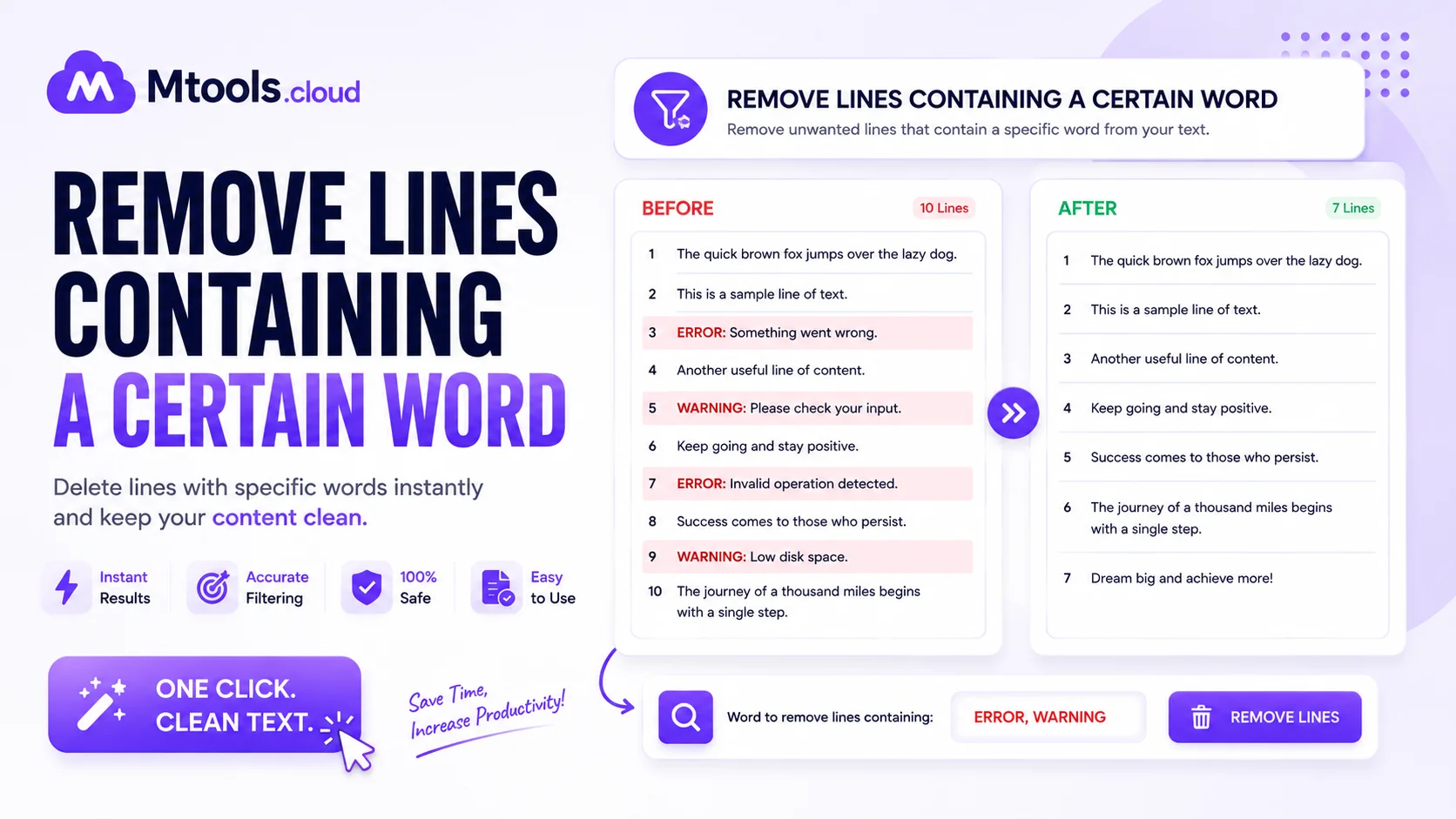
Remove Lines Containing a Certain Word
Managing text files efficiently is essential for developers, writers, students, and data analysts. One common task is removing lines containing a certain word from a text document, log file, CSV, or code file. Whether you are cleaning data, filtering unwanted information, or editing large text files, an online Remove Lines Containing A Certain Word tool can save time and improve productivity.
This tool allows users to quickly remove all lines that include a specific keyword or phrase. Instead of manually searching through thousands of lines of text, users can simply paste their content, enter the unwanted word, and instantly generate a clean output. It is a fast, accurate, and user-friendly solution for text filtering tasks.
What Is a Remove Lines Containing A Certain Word Tool?
A Remove Lines Containing A Certain Word tool is an online text utility designed to delete every line that contains a selected word, phrase, or pattern. The tool scans the entire text and removes matching lines while keeping the remaining content unchanged.
For example, if you have a server log file containing repeated error messages, you can remove all lines containing the word “error” within seconds. Similarly, writers and programmers can clean unnecessary text, debug files, or duplicate entries effortlessly.
This text filtering tool is widely used in:
- Data cleaning
- Log file management
- Coding and programming
- CSV file editing
- Text formatting
- SEO keyword filtering
- Database management
Why Use This Tool?
Manually deleting lines from large text files can be frustrating and time-consuming. This tool automates the process and improves efficiency. Here are some key benefits:
Fast Text Processing
The tool processes large amounts of text instantly. Even files with thousands of lines can be cleaned in seconds.
Accurate Line Removal
It removes only the lines containing the specified word or phrase, ensuring precise results without affecting the remaining content.
User-Friendly Interface
No technical skills are required. Simply paste your text, enter the keyword, and click the remove button.
Saves Time and Effort
Instead of editing line by line manually, the tool automates the entire process and reduces human error.
Works Online
Most tools are browser-based, meaning no software installation is needed. You can use them anytime on desktop or mobile devices.
Features of Remove Lines Containing A Certain Word Tool
A high-quality text removal tool usually includes advanced features for better text management and filtering.
Remove Multiple Words
Some tools allow users to remove lines containing multiple keywords at once.
Case Sensitive Filtering
Choose whether the search should match uppercase and lowercase letters exactly.
Regular Expression Support
Advanced users can use regex patterns to remove lines based on custom rules.
Instant Preview
View the cleaned output immediately before copying or downloading it.
Copy and Download Options
Users can quickly copy the filtered text or download it as a file.
Common Use Cases
Cleaning Log Files
Developers often use this tool to remove unnecessary debug messages or repeated error logs from system files.
Data Processing
Data analysts can filter unwanted rows from text-based datasets quickly.
Content Editing
Writers and editors can remove repeated sentences, keywords, or unwanted phrases from articles and documents.
Programming Tasks
Programmers frequently clean code outputs, configuration files, and scripts using text filtering tools.
SEO and Keyword Management
SEO professionals may remove lines containing duplicate keywords or spam-related terms from large keyword lists.
How to Use the Tool
Using the tool is simple and requires only a few steps:
- Paste or upload your text file.
- Enter the word or phrase you want to remove.
- Select additional options such as case sensitivity if needed.
- Click the “Remove Lines” button.
- Copy or download the cleaned text instantly.
The entire process takes only a few seconds and provides accurate results.
Advantages of Online Text Removal Tools
Online tools offer flexibility and convenience for users working with text regularly. They are accessible from anywhere and support quick text manipulation without installing additional software. Most tools are also free to use and compatible with all modern browsers.
Another major advantage is privacy. Many platforms process text directly in the browser, ensuring your content remains secure and is not stored online.
Conclusion
A Remove Lines Containing A Certain Word tool is a powerful and practical solution for filtering text quickly and accurately. Whether you are a developer cleaning log files, a writer editing content, or a data analyst processing datasets, this tool can significantly improve workflow efficiency.
With features like instant processing, keyword filtering, case-sensitive search, and easy copy/download options, it has become an essential utility for anyone working with large amounts of text. Instead of wasting time manually deleting lines, use this smart online tool to simplify text editing and improve productivity.