Remove Text Between Two Characters
Easily Remove Text Between Any Two Characters Online
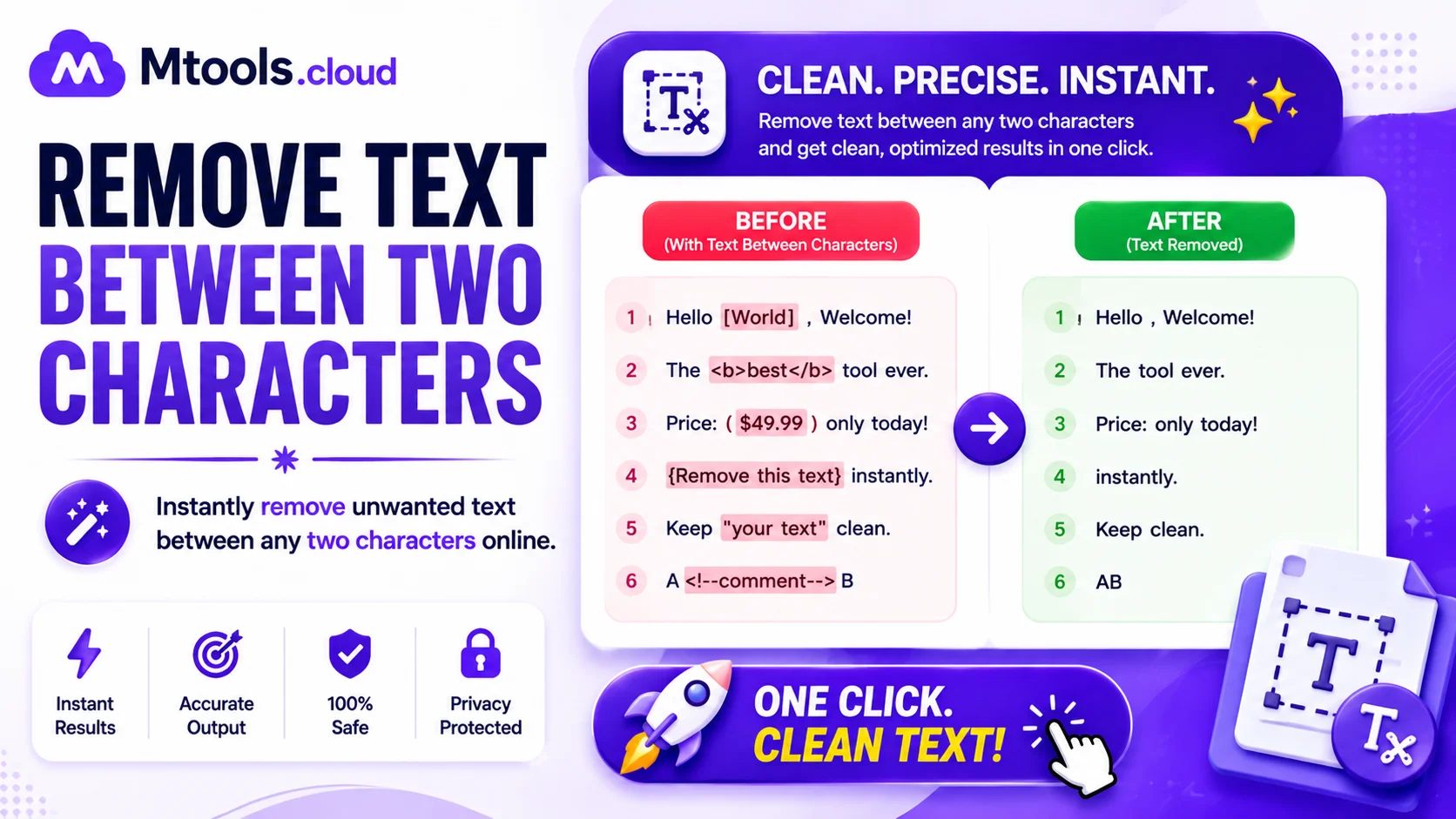
Removing unwanted text between two specific characters can save a huge amount of time when working with documents, code, CSV files, HTML, or large blocks of text. A Remove Text Between Two Characters tool helps users quickly clean and format text by automatically deleting everything that appears between selected start and end characters. Whether you are a developer, student, writer, data analyst, or SEO professional, this tool makes text processing simple, fast, and error-free.
For example, if your text contains content inside brackets, quotes, parentheses, or custom symbols, this tool can instantly remove the unwanted section without manually editing each line. It is especially useful for cleaning datasets, formatting scripts, editing logs, removing HTML tags, and preparing text for publishing.
How the Remove Text Between Characters Tool Works
The tool works by identifying two characters or symbols:
- A starting character
- An ending character
Once selected, the tool scans the text and removes everything between those characters. Users can also choose whether to remove the characters themselves or keep them while deleting only the text inside.
For example:
Input: Hello [remove this text] World
Output: Hello World
This simple process helps improve productivity and ensures consistent formatting across large text files.
Key Features of the Tool
Fast and Accurate Processing
The tool instantly processes text and removes unwanted content in seconds. Even large files can be cleaned quickly without affecting the remaining text.
Supports Multiple Characters
You can remove text between:
- Parentheses ()
- Brackets []
- Curly braces {}
- Quotes ""
- HTML tags <>
- Custom symbols or characters
Bulk Text Cleaning
Perfect for handling large paragraphs, datasets, code snippets, or imported text where manual editing would take hours.
User-Friendly Interface
No technical knowledge is required. Simply paste your text, enter the starting and ending characters, and click the remove button.
Works Online Without Installation
The tool is fully web-based, meaning users can access it from any device without downloading software.
Common Uses of Remove Text Between Two Characters Tool
Remove HTML Tags
Web developers often need to remove text or tags between angle brackets for cleaner content formatting.
Clean CSV and Data Files
Data analysts use this tool to remove unnecessary strings, IDs, comments, or metadata from datasets.
Edit Source Code
Programmers can quickly remove comments, debugging information, or unwanted sections from scripts and code files.
Content Formatting
Writers and editors can clean up text documents by removing extra notes, references, or annotations.
SEO Text Optimization
SEO professionals use the tool to clean copied content and prepare optimized text for websites and blogs.
Why Use an Online Text Removal Tool?
Manual editing can be slow, frustrating, and prone to mistakes. Using an automated text remover tool helps improve efficiency and ensures clean results. It also reduces repetitive work and improves workflow productivity.
The tool is especially useful when:
- Editing large amounts of text
- Working with repetitive patterns
- Cleaning imported content
- Formatting structured documents
- Removing duplicate or unwanted text sections
Benefits of Using Remove Text Between Characters Tool
- Saves time and effort
- Improves text accuracy
- Removes repetitive manual editing
- Supports multiple text formats
- Works instantly online
- Ideal for developers, students, writers, and marketers
Conclusion
The Remove Text Between Two Characters tool is a fast and effective solution for cleaning and formatting text online. Whether you need to remove content between brackets, quotes, tags, or custom symbols, this tool helps automate the process with precision and speed. It is perfect for developers, content creators, students, and anyone working with text data regularly.
Using this tool can significantly improve productivity while ensuring your text remains clean, professional, and easy to manage.